


Some rounds deserve a bigger screen.
Earlier this year, we redesigned the Arccos app. Now that same experience lives on your desktop. The new Arccos Dashboard puts your stats, rounds, clubs and courses on the big screen, with room to dig in.
It also brings two of our most-requested features: a round editor built for the big screen, and an easy way to share your game with your coach or a friend.
The Round Editor: Edit Any Round on a Big Map
Edit any shot in seconds.
The round editor puts the entire hole on your screen. Drag a shot to the right spot. Add a shot. Change the club you hit. Zoom in on the green to adjust your putts or move the flag. Hit save, and your stats update. Done.
We kept hearing from members who wanted an easier way to edit a round. Now you have one.
Your Game With Room to Breathe
Everything you know from the app, now sized for a desktop.
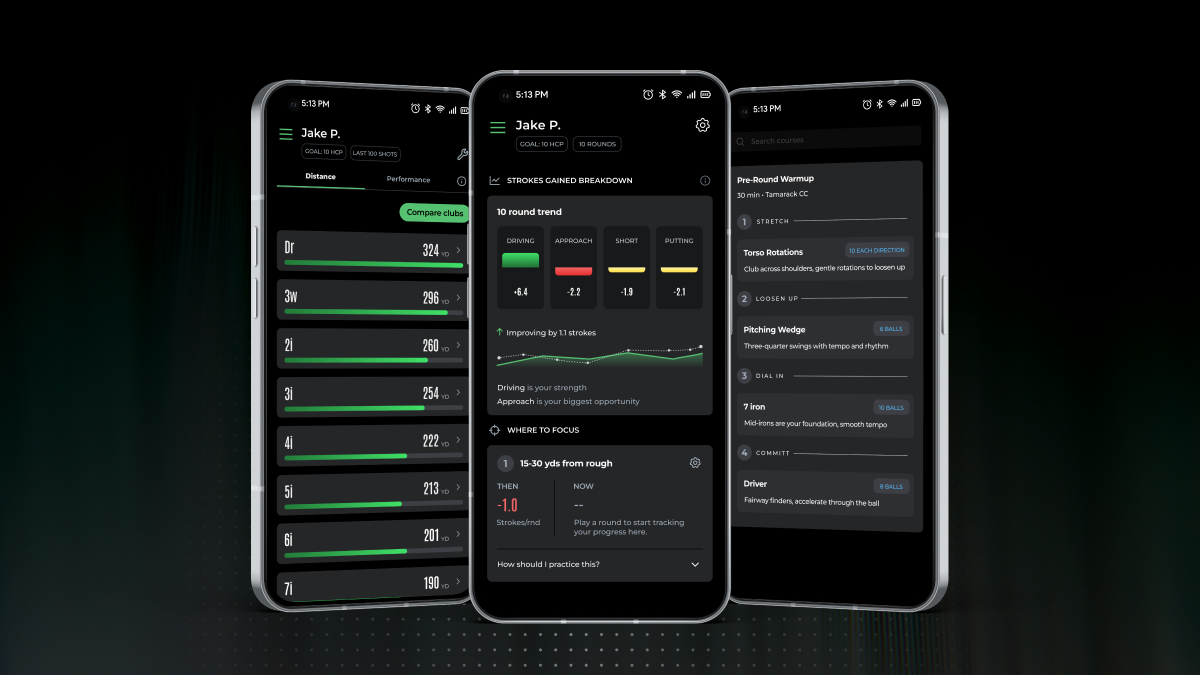
- Strokes Gained: See exactly where you gain and lose shots across driving, approach, short game and putting.
- Clubs: Put two clubs side by side and find out which one you can trust.
- Courses: Browse every course you've played as a list or on a map.
- Rounds: Open any round and the full scorecard sits right under the hole map.
Torn between two clubs? Put them side by side and see which one actually flies farther, and which one you can trust when it counts.
Sharing: Bring Your Coach Into Your Game
Your best lessons start with real data. Now your coach or a playing partner can ask to see your game.
You stay in control. Nothing gets shared until you approve it, and you can stop sharing anytime. Once you say yes, they can see your stats, rounds, clubs and courses, but they can't change anything. Want to keep a round to yourself? Mark it private and it stays off their list (it still counts toward your overall stats).
Show up to your next lesson with the numbers already on the table.

How to Get It
Head to dashboard.arccosgolf.com and sign in with your Arccos account. Already used the dashboard? You'll land right in the new one. First time in? A quick tour shows you around, and you can replay it anytime from your Account page.
Spot something we should fix, or have an idea? Tap Send feedback on any page of the dashboard. It goes straight to our team, and we read every one.
Built with your feedback, made for your game. We can't wait for you to try it.




Share:
The New Arccos App Is Now on Android